Operational Monitoring & Management
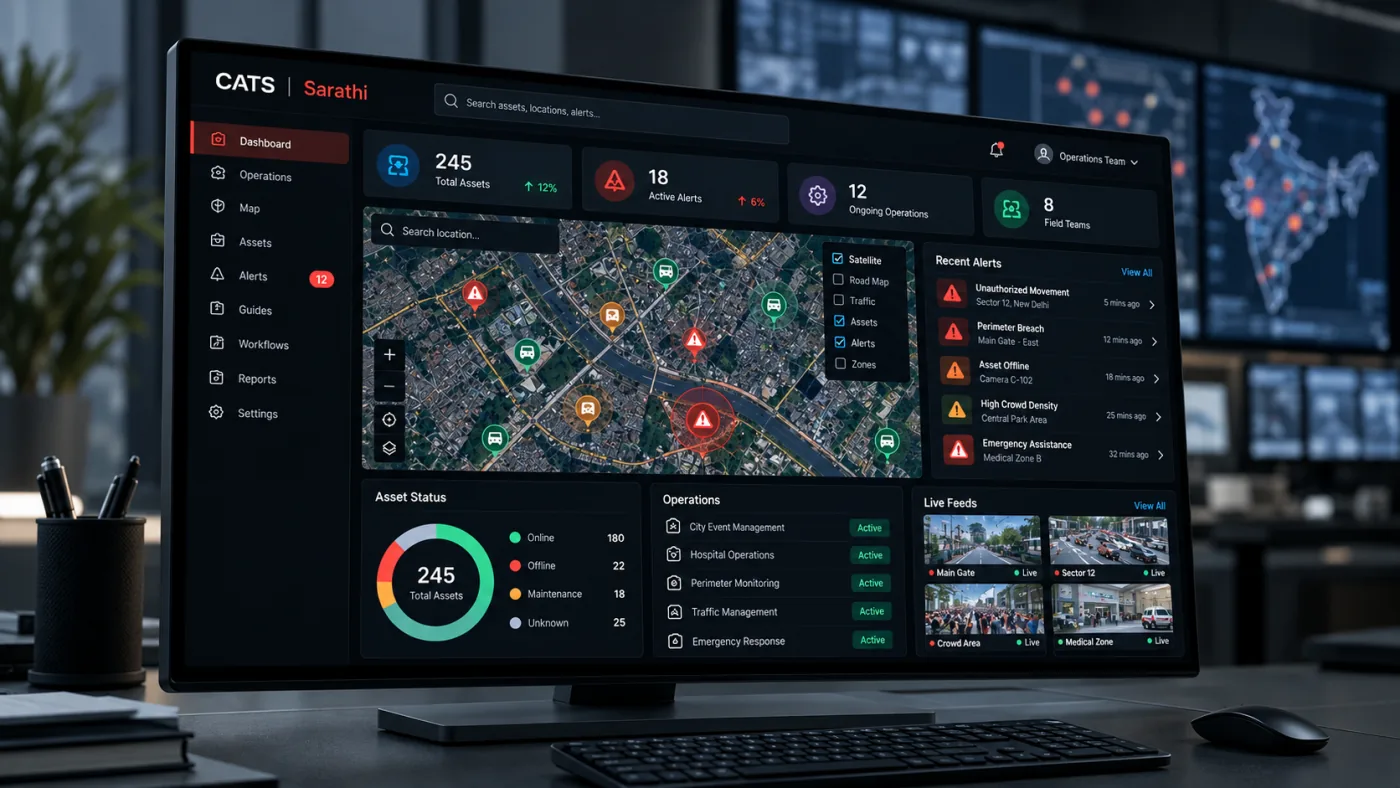
Bring operational information, activities, and responsibilities into a shared view. Understand what's happening across teams and locations while keeping everyday work organised.
Software
One platform to monitor, manage, and get things done.
Bring operations, people, tasks, guides, and alerts together in one place. Sarathi simplifies everyday work, helps teams follow the right processes, and makes it easier to coordinate when something needs attention.
Overview
Sarathi is an operational monitoring and management platform designed to make complex, people-intensive operations easier to run.
From monitoring activities across locations to assigning tasks, following operational guides, and managing alerts, Sarathi connects the different parts of daily operations in one system.
Teams can work through structured processes, managers can keep track of responsibilities and progress, and important alerts can reach the people who need to act.
Instead of switching between multiple applications for monitoring, instructions, task management, and communication, teams can work through one connected platform, configured around their organisation's requirements.
Core capabilities
Bring operational information, activities, and responsibilities into a shared view. Understand what's happening across teams and locations while keeping everyday work organised.
Give teams clear, step-by-step guides for carrying out operational activities. Standardise recurring processes, help people follow established procedures, and make tasks easier to complete consistently.
Assign work to the right people, keep responsibilities clear, and track progress without relying on scattered messages or repeated follow-ups.
Raise alerts, notify relevant personnel, and coordinate action when something needs attention. Managers can assign responders, while teams can follow the appropriate steps and track the response.
See activities, tasks, and operational information in the context of relevant locations, helping teams coordinate across facilities, sites, or operational areas.
Adapt workflows, guides, responsibilities, and operational views to suit the structure and requirements of different organisations.
How it works
Sarathi brings the essential parts of operations together. Teams can monitor activities, access relevant guides, carry out assigned tasks, and update their progress within the platform.
Managers can see what needs attention, coordinate responsibilities, and keep work moving across teams.
When an unexpected situation occurs, the same platform supports alert notifications, task assignments, and coordinated response—without requiring teams to switch to an entirely separate system.
Applications
Coordinate production-related activities, standard operating procedures, maintenance tasks, and incident response across teams and facilities.
Support operational workflows, department coordination, assigned responsibilities, and timely communication when situations require attention.
Manage multiple teams, event-day tasks, operational guides, location-based activities, and incident coordination.
Keep distributed teams connected through shared operational information, workflows, task assignments, and alerts.
Organise routine inspections, operational procedures, maintenance responsibilities, and responses to issues across facilities and assets.
Benefits
Monitoring, guides, task assignments, progress tracking, and alerts work together in one platform, reducing the need for multiple disconnected applications.
Give people clear instructions and responsibilities so they can spend less time figuring out what to do and more time getting it done.
Keep tasks, updates, and responsibilities visible to the right people, reducing unnecessary follow-ups and fragmented communication.
When an alert is raised, teams can move from notification to assignment and action using the same platform they already use for everyday operations.
Configure guides, workflows, roles, and operational views to suit the requirements of your organisation.
Contact CATS
Send us a question, a requirement or a demo request.